
ezIcon Generator Initial Release
@ezwarelab



ezWareLab @ezwarelab
Started 4 months ago by ezWareLab in ezIcon Generator, Generator Discussion
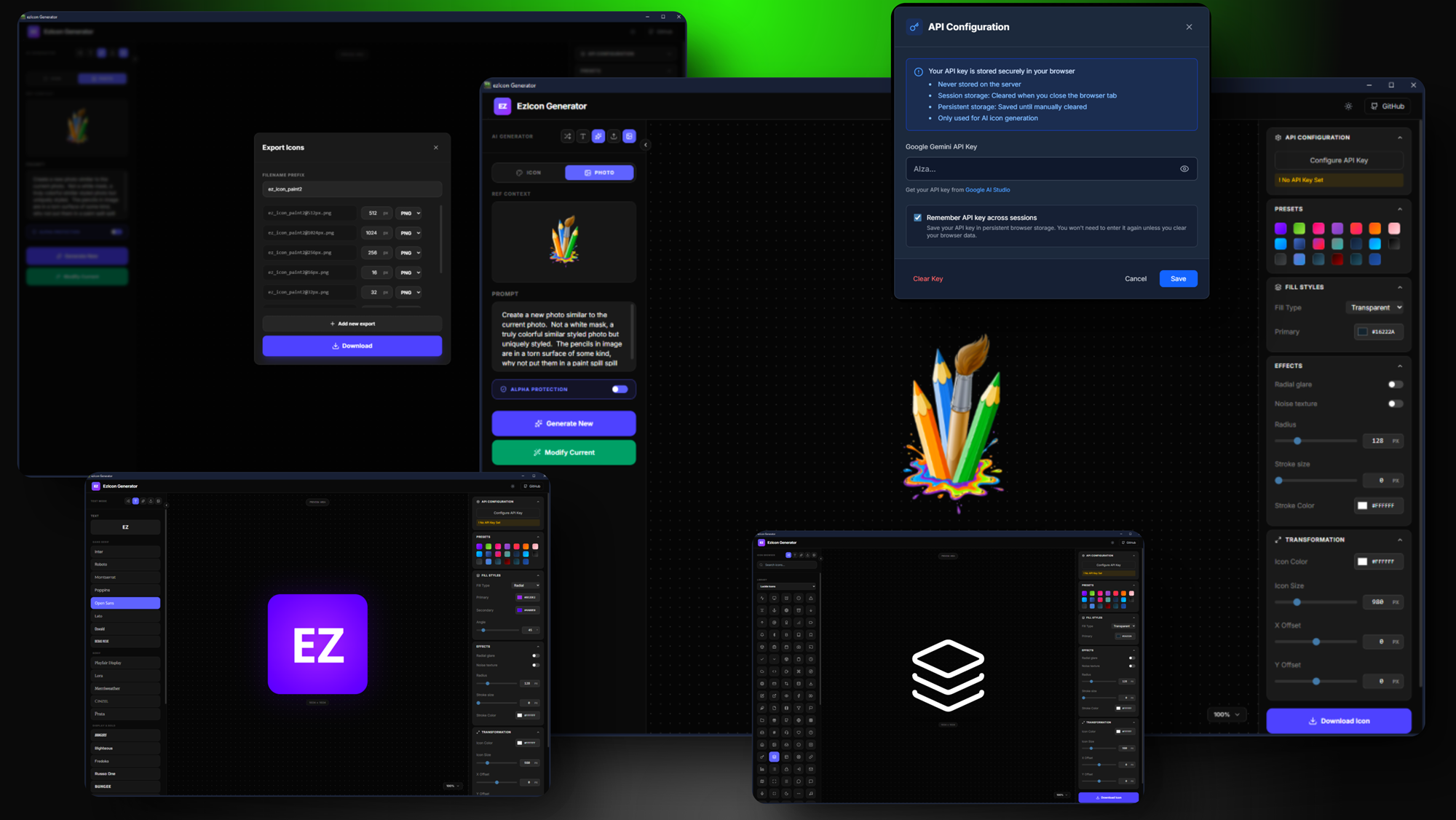
EZIcon Generator is a high-performance icon generator with customization, live preview, and bulk export capabilities. You can generate
Body
What does ezIcon Generator do?
- Privacy & Security: Code and API keys remain local and are never shared.
- No Subscriptions: Using one's own API key avoids monthly service fees. Users only deal with Google’s usage rates.
- Efficiency: No server lag or hosting fees—just a fast, local experience.
- Rapid Prototyping: The core logic was built almost entirely within Google AI Studio.
- The Bridge: I transitioned the AI-generated code into a WebExeBuilder project.
- Custom Refinement: I manually edited the code to integrate specialized WebExeBuilder functions and local API calls.
Why a Windows App Instead of a Web Tool?
I chose to build this as a desktop application for several key reasons. First, I personally prefer the stability of Windows apps. Beyond that, moving away from a server-based model means zero hosting fees and better protection for the application's core code. Because it runs locally, your data stays private. This setup also allows you to use your own Google API keys, which are stored securely on your machine and never shared. By removing myself as the "middleman" for AI processing, I don’t have to charge you a monthly subscription. You simply pay Google directly for the exact amount of AI resources you consume.
Q. Is an API key required to run the software?
A. Absolutely. There is a full freeware version available.
Intro video here.
Intro Video
Download Free here:
https://link.ezwarelab.com/eziconfree
If EZIcon Generator becomes a staple in your workflow, purchasing the Professional Edition is a great way to show your support. The Pro version adds essential workflow features like saving and loading projects, along with automatic backups during image exports. It’s also the only version that lets you share project files with your team or friends. Otherwise, you get the same powerful generation features in both editions!
ezIcon home page: (Faq, etc.)
https://link.ezwarelab.com/ezicon
If you want to dive into the AI features, you’ll need a "digital pass" from Google called an API key.
- Head over to aistudio.google.com.
- Grab your key and paste it into the app's configuration area.
- Regional Note: If you are in the UK or EEA, Google’s free tier might not be available due to local regulations, so a paid tier is likely necessary.
-
No one has replied to this thread yet. Be the first to reply!