

ezIcon Generator Ordering
@ezwarelab



ezWareLab @ezwarelab
Started 4 months ago by ezWareLab in ezIcon Generator, Generator Discussion
Just a quick heads up before ordering..
Body
Before you order, please have your System ID (Hardware ID) ready.
Q. Where do I find my Hardware ID (System ID) for the order?
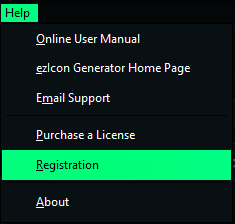
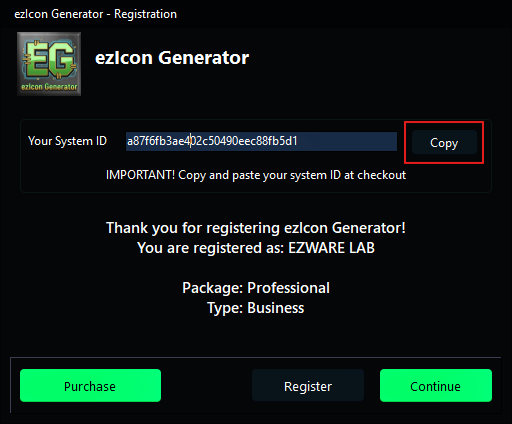
A. Open ezIcon Generator, select the menu item Registration, on the registration screen use the COPY button to copy the System ID needed for your order.
Press the Copy button to copy your System ID/Hardware ID to the Windows clipboard
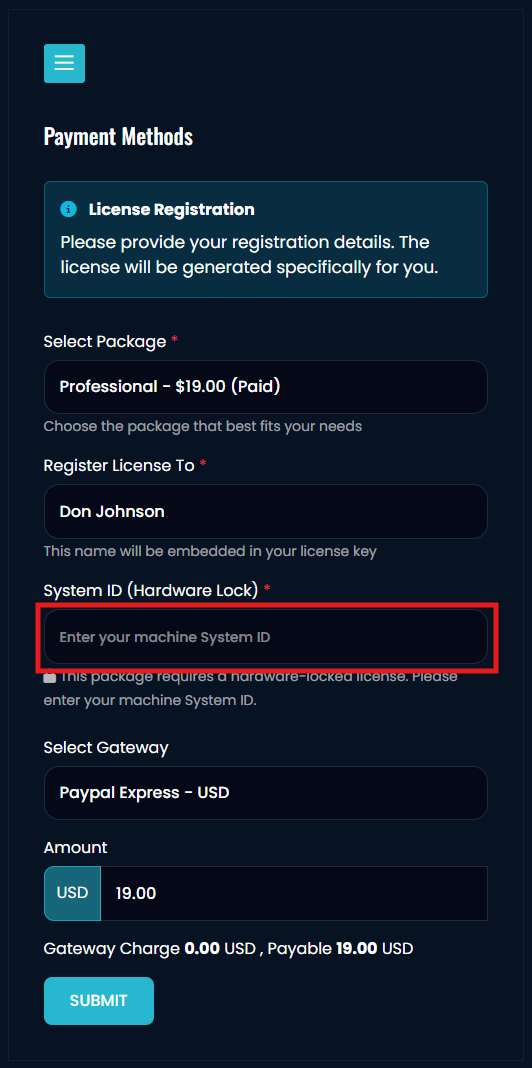
At checkout paste your System ID from the clipboard into the red outlined box below.
It's pretty self explanatory but we still get questions and this may help some of you..
thanks!
Brad
-
No one has replied to this thread yet. Be the first to reply!